Starter Questions
Instantly Guide Users with Smart Suggestions
When users open a chatbot for the first time, they often hesitate. “What should I ask?” That blank-page moment kills engagement fast.
GTWY fixes this with Starter Questions — smart, context-aware suggestions that instantly guide users into meaningful interactions. Instead of guessing what the chatbot can do, users see clear examples the moment the chat opens.
This turns uncertainty into confidence and boosts engagement from the very first message.
What Are Starter Questions?
Starter Questions are predefined suggestions that appear at the beginning of a conversation. They act as sample inputs that users can click or type to get started quickly.
These questions are automatically generated based on the Prompt you’ve written for your chatbot — meaning they’re context-aware and aligned with your chatbot’s purpose.
Example:
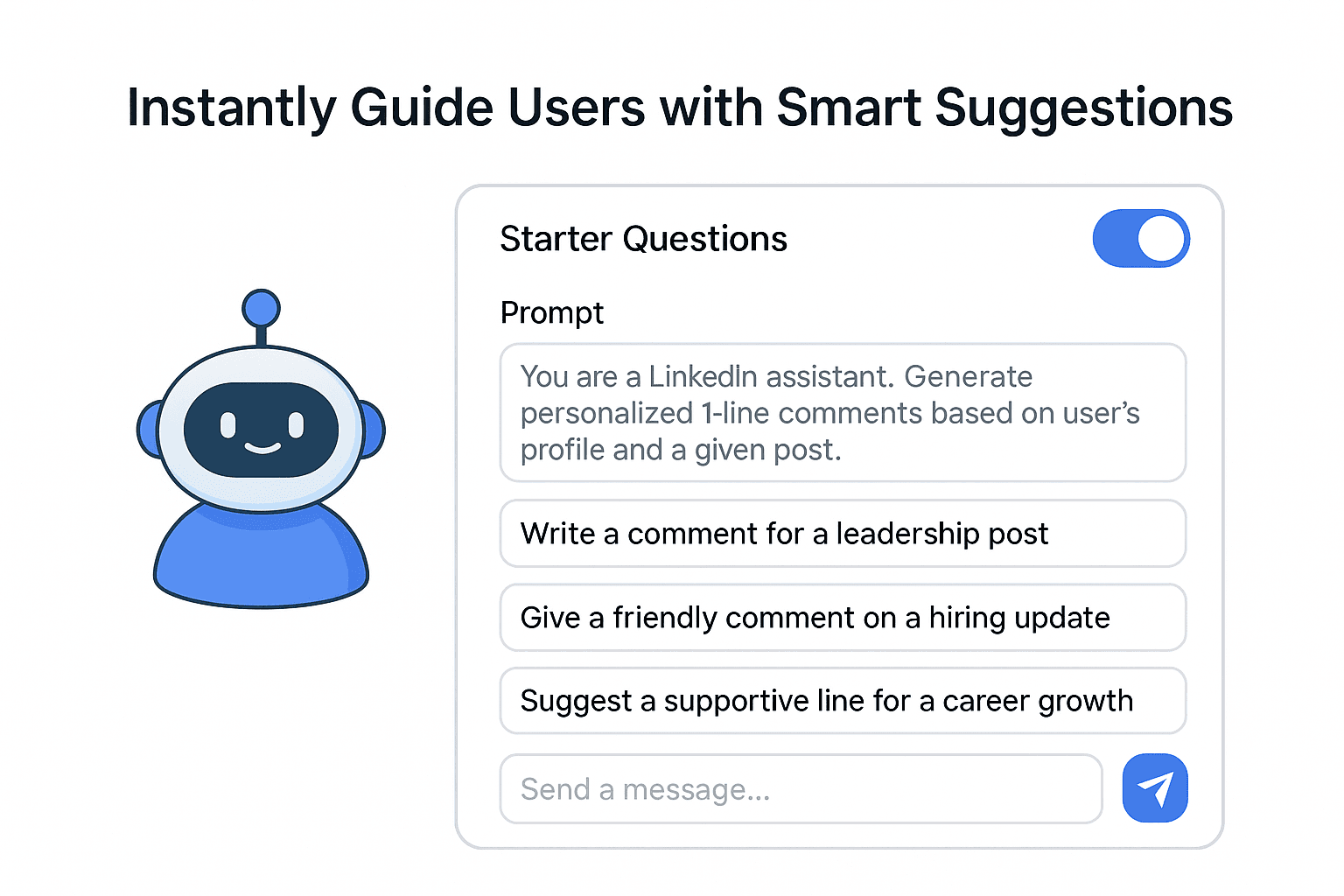
If your prompt is:
“You are a LinkedIn assistant that generates personalized 1-line comments for posts.”
Then your Starter Questions could include:
“Write a comment for a leadership post.”
“Give a friendly comment on a hiring update.”
“Suggest a supportive line for a career growth story.”
Each question is displayed right below the chat input field, helping users begin conversations effortlessly.
How It Works
1. Enable Starter Questions
Go to your GTWY chatbot settings and toggle Starter Questions ON.
This activates the feature for that chatbot interface.
2. Auto-Generated by Prompt Context
The Starter Questions are created dynamically by referencing the chatbot’s Prompt — the instruction that defines its role or behavior.
You don’t need to write them manually; GTWY generates them based on the chatbot’s defined purpose.
3. Instant Display
Once enabled, the suggestions appear automatically at the start of the chat window, guiding users to interact meaningfully from the first click.
Why Use Starter Questions?
Starter Questions improve both usability and engagement. They make your chatbot more intuitive and user-friendly.
Here’s what they help you achieve:
Faster Onboarding: Users don’t need to think about what to ask first.
Clarity: Instantly communicates what your chatbot is capable of.
Engagement: Encourages exploration through interactive suggestions.
Reduced Confusion: Prevents the blank-page effect for new users.
In short, Starter Questions help users get value from your chatbot immediately — no learning curve required.
Best Practices
Keep your main Prompt clear and focused
Use action verbs (“Write,” “Suggest,” “Summarize,” “Generate”)
Enable Starter Questions for structured or task-based bots
Comment generators
Q&A bots
Support assistants
Sales or lead-gen bots
Final Thoughts
Starter Questions make your chatbot feel smarter, easier, and more welcoming.
With just one toggle, you eliminate user hesitation, speed up onboarding, and highlight exactly what your chatbot can do.
Turn on Starter Questions — and let your AI guide users from the very first click.
 Built with DocStar